

Technology is evolving rapidly, and education and business are transforming along with it. To stay ahead, we need to rethink traditional methods and embrace innovation. One of the best examples of this shift is the adoption of interactive panels. These panels enhance collaboration, streamline communication through cloud-based technology, and offer smart solutions for success.
What is an Interactive Panel (IFP)?
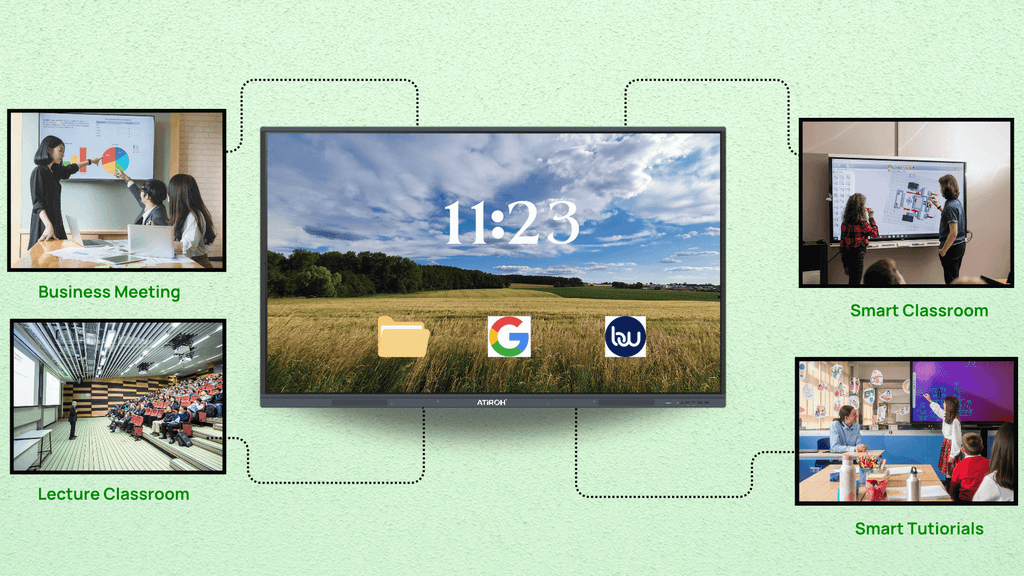
Interactive flat panels (IFPs) are changing the way companies and schools collaborate and communicate. With enhanced touch sensitivity, high-definition screens, and seamless connectivity, they create an engaging and effective platform for sharing information. Designed to transform traditional lectures into interactive experiences, these panels allow instructors to navigate content easily, annotate lessons, and involve students in the learning process. IFPs are widely used in schools, colleges, and businesses thanks to their improved touch functionality, easy connectivity, and stylus input for detailed presentations and collaboration.
The Future of Learning & Collaboration: How Interactive Panels Are Leading the Way
Urban schools in India see higher enrolment, while rural students struggle with English-based instruction. Bilingual education software can enhance comprehension. Live-streamed classes from expert teachers can improve access to quality education. Additionally, incorporating culturally relevant subjects, like performing arts, fosters creativity and engagement.
Promoting Active Learning
Students grasp concepts at different speeds. Some understand right away, while others may get distracted or struggle to keep up. Interactive panels make learning more engaging, helping students visualise complex topics and ask questions. Instead of simply erasing and forgetting, teachers can now record and revisit lessons for better retention.
Fostering Collaboration
Interactive panels encourage teamwork, group discussions, and open communication. Multiple students can write, draw, or interact with the same panel at the same time, making learning more dynamic and participatory.
Environment-Friendly Solutions
- Solar-powered smart classrooms reduce dependence on non-renewable energy.
- Motion-sensing interactive panels automatically turn off when not in use, saving energy.
- Digital education minimises paper waste and promotes sustainability.
- Smart climate control and lighting systems make schools more energy-efficient.
Real-World Applications of Interactive Panels
- Building the classroom of the future requires vision and creativity, along with cutting-edge technology.
- Educators can create dynamic learning environments that inspire and revolutionise education.
- Interactive panels give teachers the tools to enhance their teaching methods.
- Subjects like physics, chemistry, and math come alive through 3D visuals and real-time experiments, making learning easier and more engaging.
Corporate Sector: Boosting Productivity
In business settings, clear and engaging communication is key. Interactive panels enhance presentations, facilitate brainstorming sessions, and streamline collaboration in meetings.
Events & Entertainment
Interactive panels are transforming events by making them more engaging and participatory. Features like live polls and Q&A tools allow real-time audience interaction, keeping discussions relevant and impactful.
How to Choose the Right Interactive Panel
Before choosing a panel, consider:
- Your Objective – Are you using it for teaching, discussions, or interactive sessions?
- Your Audience – Age, career, and knowledge level influence the best panel choice.
- Panel Format – Roundtable, debate, or workshop? Choose based on the engagement level you need.
- Audio-Video Quality – Crisp sound and clear visuals enhance the experience.
- Compatibility & Connectivity – Look for HDMI, USB, Bluetooth, and Wi-Fi support for seamless device connections.
- Viewing Angles – Wider angles ensure everyone in the room has a clear view.
Key Features of Interactive Panels
1. Resolution & Display Quality
HD (1080p) and 4K panels provide sharp visuals, making content easier to see and understand.
2. Multi-Touch Capabilities
Interactive panels support multi-touch input, allowing multiple users to collaborate simultaneously.
3. Handwriting Recognition
Teachers can write notes, diagrams, or ideas on the panel, which are then converted into readable digital text for easy comprehension.
4. Responsiveness & Visibility
Fast response times ensure smooth interactions without lag. Adjustable brightness settings improve visibility in different lighting conditions.
Challenges & Considerations
1. Energy Consumption & Sustainability
Interactive panels can consume significant energy. Opt for energy-efficient models and smart management systems to reduce costs and environmental impact.
2. Durability & Lifespan
For long-term usability, choose panels with solid warranties and ensure proper maintenance.
3. Keeping Up with Market Trends
Stay updated with the latest technological advancements to make informed purchasing decisions.
Conclusion
Interactive panels are transforming education by making learning more engaging, inclusive, and effective. They enhance student participation, support diverse learning styles, and foster collaboration, shaping the future of education.
How Atiroh Interactive Panels Help:
Smart & Engaging – Transforms lessons into interactive experiences.
Inclusive & Accessible – Supports all learning styles with touch, visuals, and audio.
Future-Ready – Seamlessly integrates with digital tools and online resources.
Collaborative Learning – Encourages teamwork and real-time interaction.
Reliable & User-Friendly – Easy to use with strong technical support.
With advanced technology, Atiroh Interactive Panels empower educators to create dynamic, future-ready classrooms!